
Your models
Everything already on your Mac, in one list
ModelDeck finds the models already on your Mac and runs each one with its engine: llama.cpp for GGUF, MLX for MLX models, and Splash for Splash models.
Beta For Macs with Apple silicon
ModelDeck is a Mac app that runs the AI models on your Mac with llama.cpp, MLX and Splash, and shows you what they are doing. Check memory fit before you load, see the exact engine command, and watch time to first token and tokens per second on every reply.
ModelDeck is beta software provided “as is,” without warranties, to the extent permitted by applicable law. Use it and any connected AI models at your own risk, and verify outputs before relying on them. Read the full notice.
The film
From the models already on your Mac to a live reply and the local server, in 1:12. English captions are available.
What it does
Every screenshot below is the real app, cropped to the part that matters.
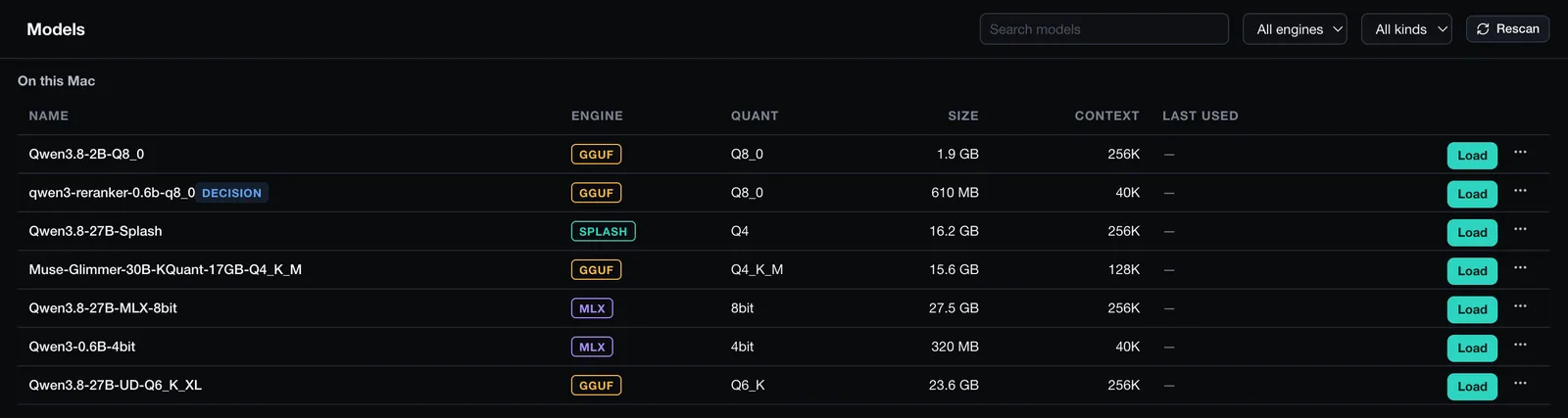
Your models
ModelDeck finds the models already on your Mac and runs each one with its engine: llama.cpp for GGUF, MLX for MLX models, and Splash for Splash models.
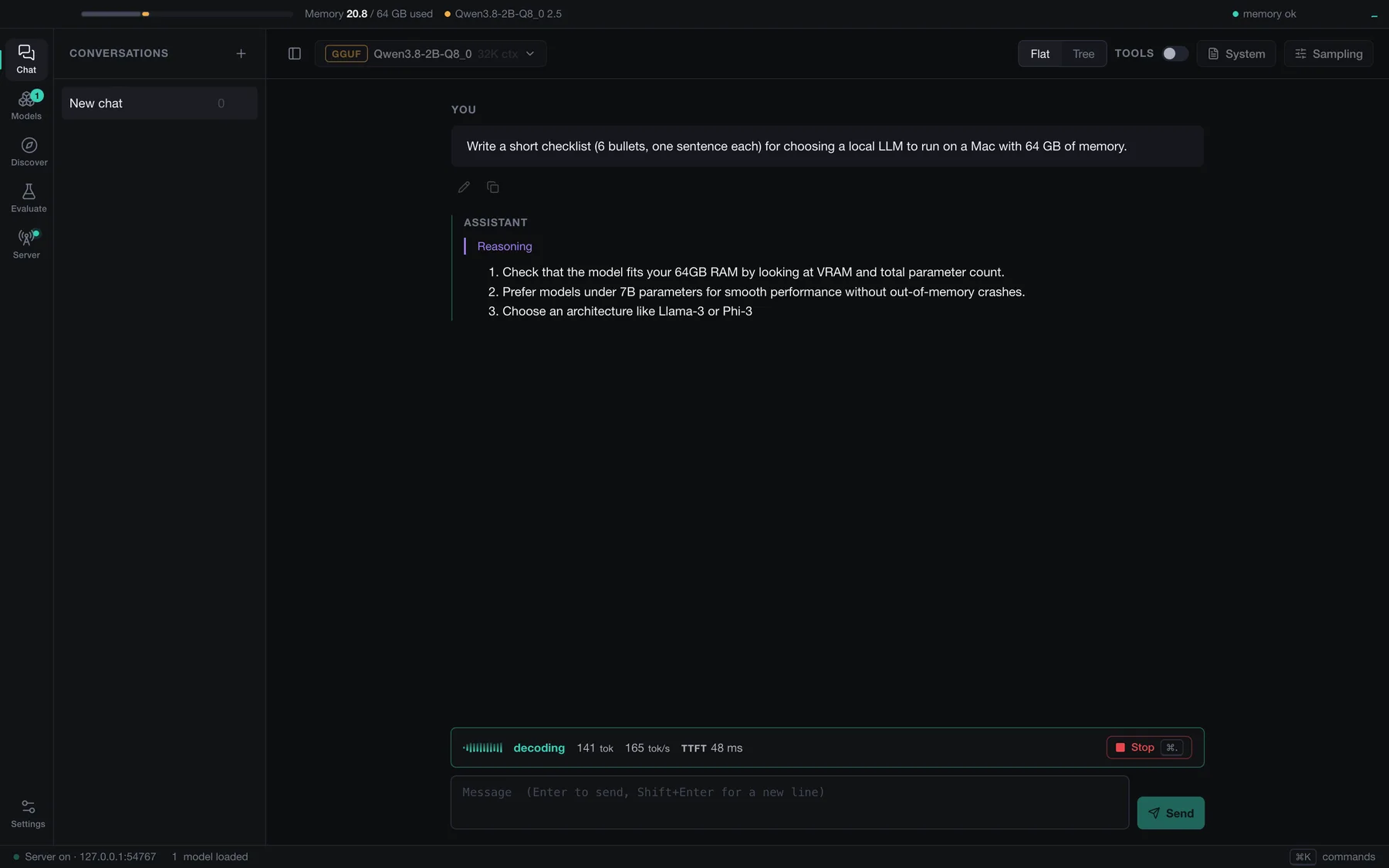
Before you load
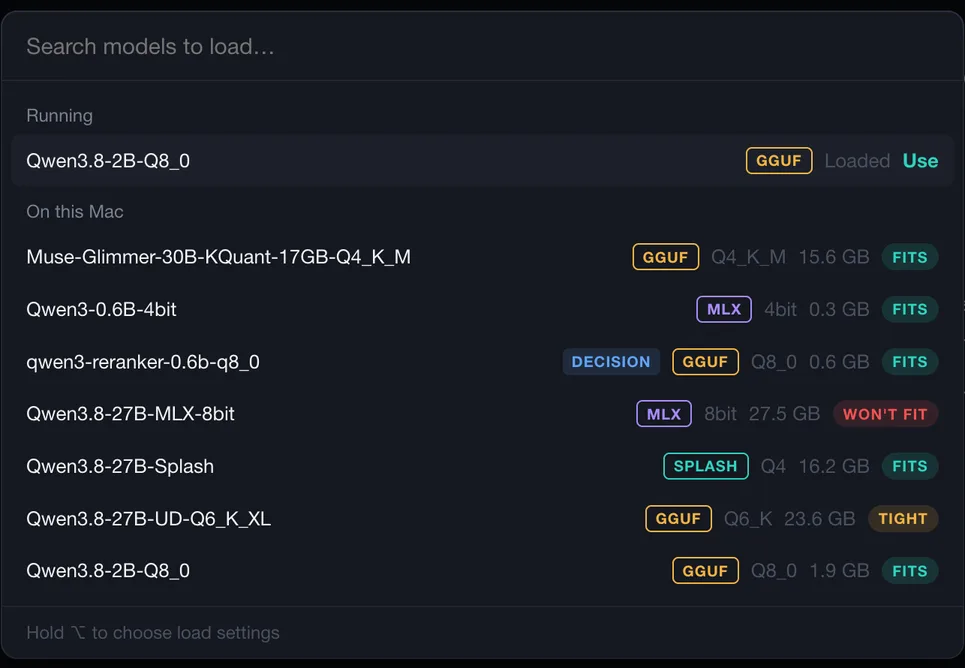
The load sheet estimates the memory a model needs with your context size, counts what other apps already use, and tells you whether it fits.
Settings are in plain words, each with the engine flag beside it. The exact command line is one click away.
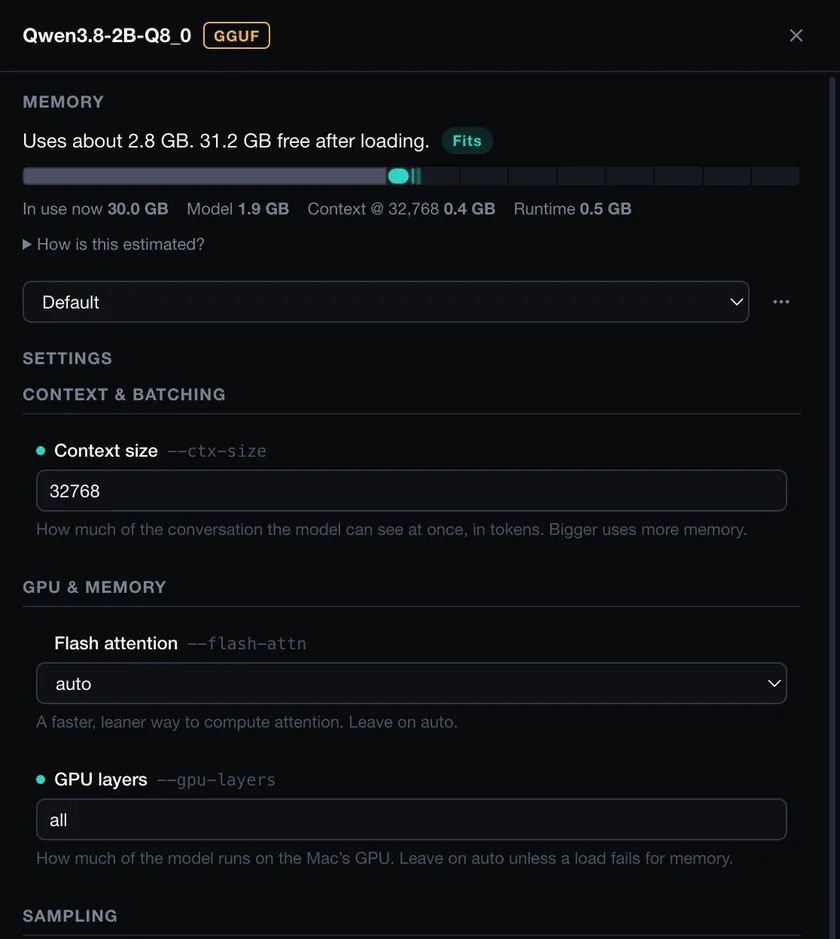
While it runs
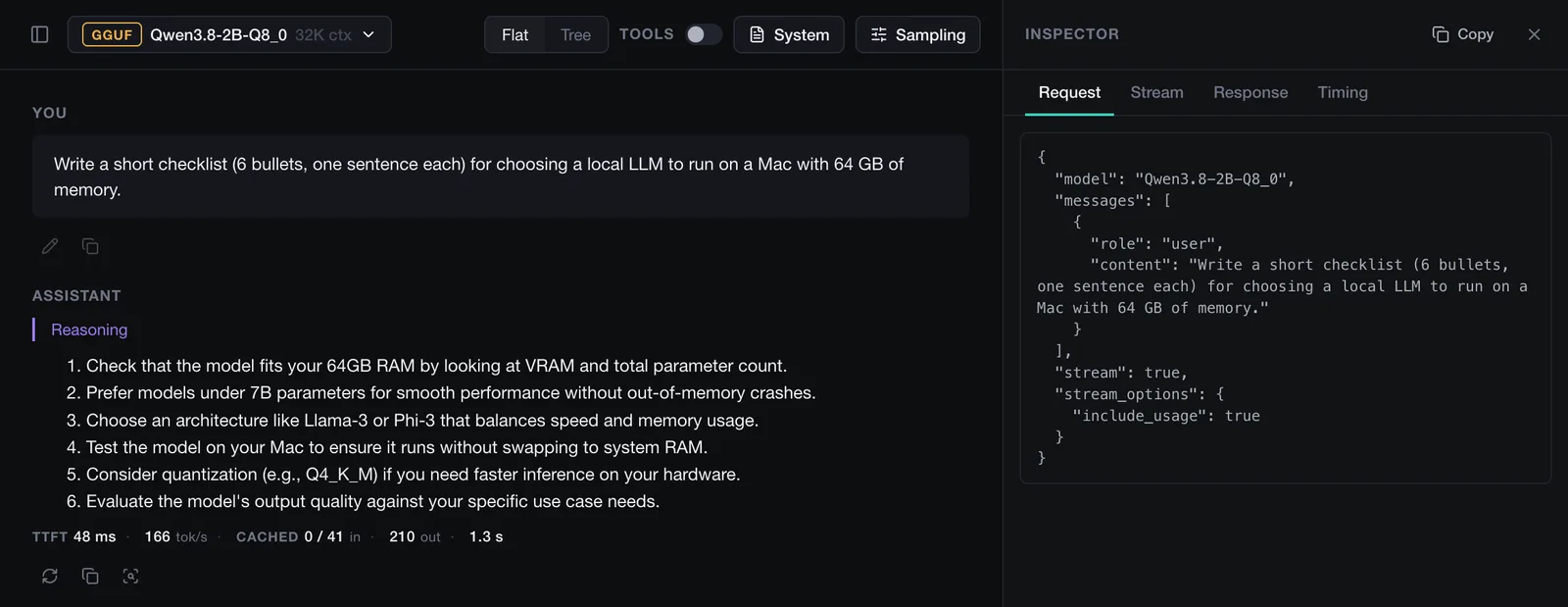
Time to first token and tokens per second update live while a reply streams, and stay with the reply when it ends. The inspector shows the exact request, the raw stream, the response and the timing behind any reply.
Reasoning, tool calls, edit and regenerate are all there when you need them.
For your tools
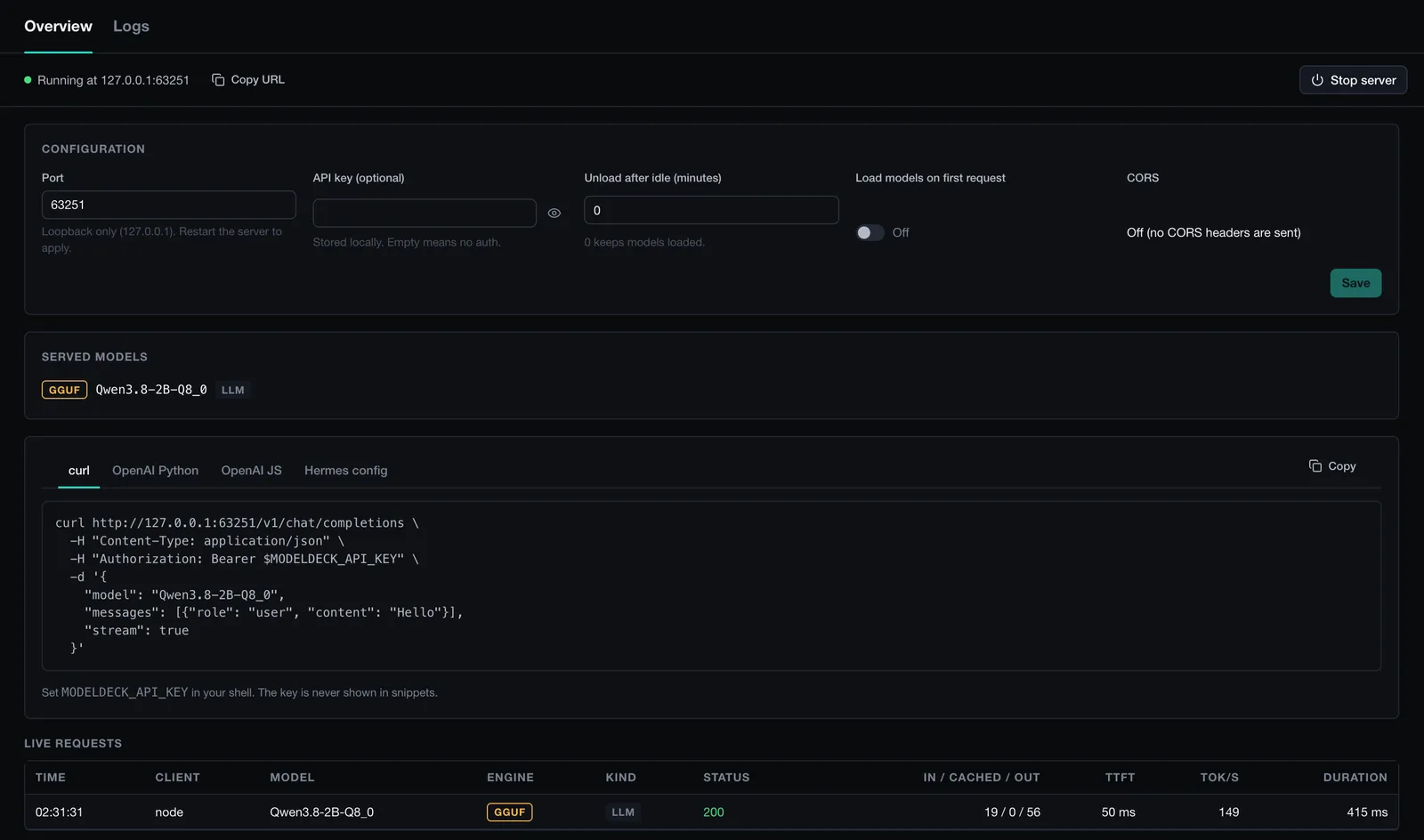
Point any OpenAI-compatible client at ModelDeck. It listens on this Mac only and logs each request with its timing.
It can load a model on the first request and unload it when idle, and an API key is optional. Close the window and the server keeps answering from the menu bar.
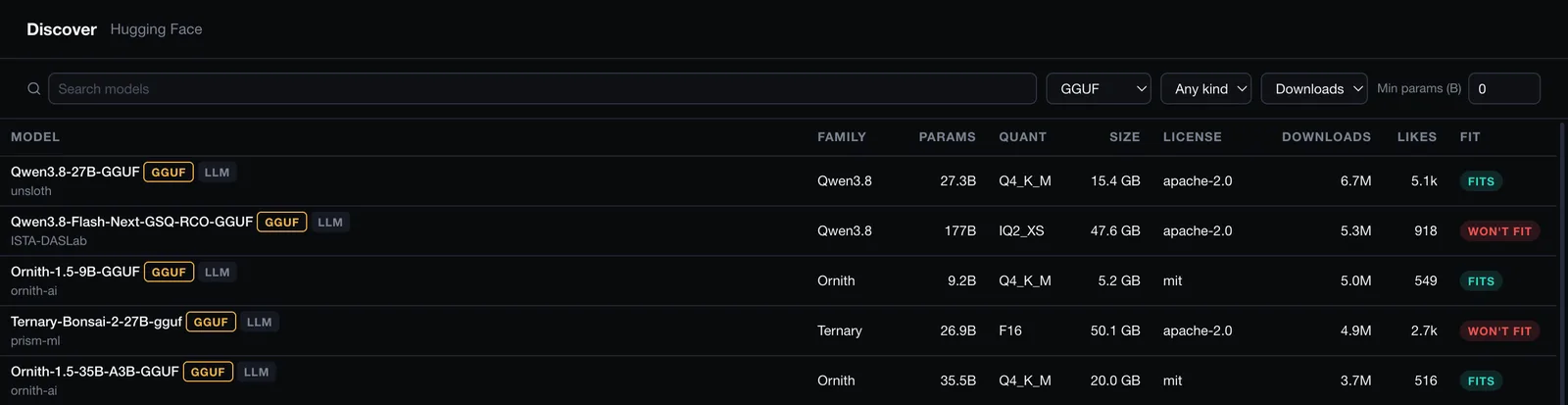
Find the next model
Browse and search Hugging Face from inside the app, see which models fit in memory, and download with resume and a checksum check.
Run quick, standard or long-prompt benchmarks on a model file, on your own hardware.
Score yes or no, choice and rating tasks, and run test suites against a model.
⌘K for commands. ⌘L to load a model, with fit shown for each one.
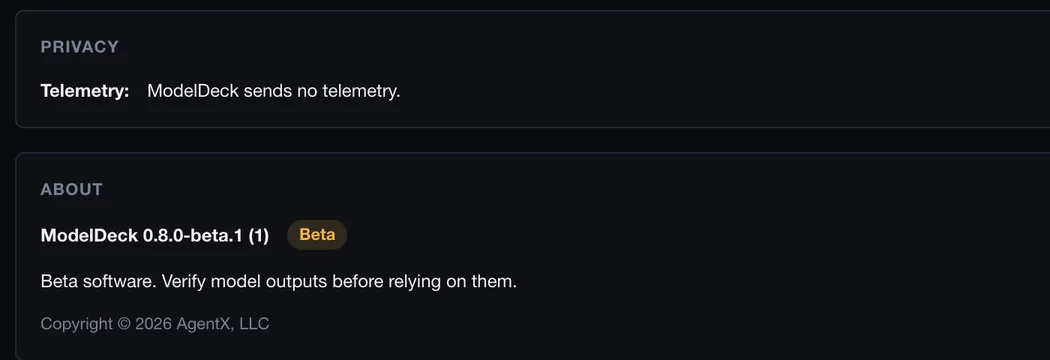
ModelDeck sends no telemetry. Settings says so, next to the version you are running.
One measured run
Measured once on an M5 Max (64 GB), Qwen3.8-2B Q8_0 GGUF, 2026-10-17. Your numbers will differ.
Beta
For Macs with Apple silicon. Engines install separately.
ModelDeck 0.8.0-beta.1 Beta
The download is not available yet. We publish the disk image here once Apple has notarized it. This page will show its size and SHA-256 at that point.
ModelDeck is beta software provided “as is,” without warranties, to the extent permitted by applicable law. Use it and any connected AI models at your own risk, and verify outputs before relying on them. Read the full notice.
ModelDeck does not include engines or models. Install the engines for the models you want to run.
brew install llama.cppbrew install incoai/tap/splashbrew install python. The first time you load an MLX model, ModelDeck shows the setup commands and runs them only if you agree. It creates a private Python environment and downloads mlx-lm from the Python Package Index.ModelDeck is a Mac app for running local AI models and seeing what they do on every turn. This is a beta release for Macs with Apple silicon.
ModelDeck does not include model engines or models. Install the engines for the models you want to run:
brew install llama.cpp). ModelDeck uses its llama-server.brew install incoai/tap/splash).~/.modeldeck/mlx-venv the first time you load an MLX model. It shows the commands first and runs them only if you agree. It needs Python 3.10 or newer for Apple silicon, for example brew install python or the macOS installer from python.org. ModelDeck finds it but never installs Python itself. The setup downloads mlx-lm 0.32 from the Python Package Index (pypi.org), about 300 MB plus dependencies.To check the download, run shasum -a 256 on the disk image and compare the result with the SHA-256 on the download page or in the .sha256 file next to the download.
ModelDeck sends no telemetry. Discover connects to Hugging Face when you browse, search or download models, and the MLX setup, which runs only after you approve it, downloads mlx-lm from the Python Package Index (pypi.org). Models run on your Mac.
The install steps in these notes apply once the disk image is published here.
FAQ
No. ModelDeck sends no telemetry. Discover connects to Hugging Face when you browse, search or download models, and the MLX setup, which runs only after you approve it, downloads mlx-lm from the Python Package Index (pypi.org).
On your Mac. The engines and the local endpoint listen on this Mac only.
No. Install llama.cpp and Splash with Homebrew. For MLX, ModelDeck offers a one-time setup that creates a private Python environment, and runs it only if you agree. It needs Python 3.10 or newer. See the commands.
Macs with Apple silicon on macOS 13 Ventura or later. There is no Intel, Windows or Linux version.
No. This beta has no automatic updates.
Not yet. ModelDeck is in beta, so expect rough edges, and verify model outputs before relying on them. Read the beta notice.